
Command line
Upload from the terminal with aktar
One command, one link: aktar upload report.pdf sends the file to your own bucket through the Aktar app and prints its URL, Markdown or full JSON. Made for scripts, CI jobs and editors like Typora.
npm install -g @getaktar/cli brew install getaktar/tap/aktar-cliOr try it without installing: npx @getaktar/cli upload file.png
@getaktar/cli getaktar/cliv0.1.1
Commands
-
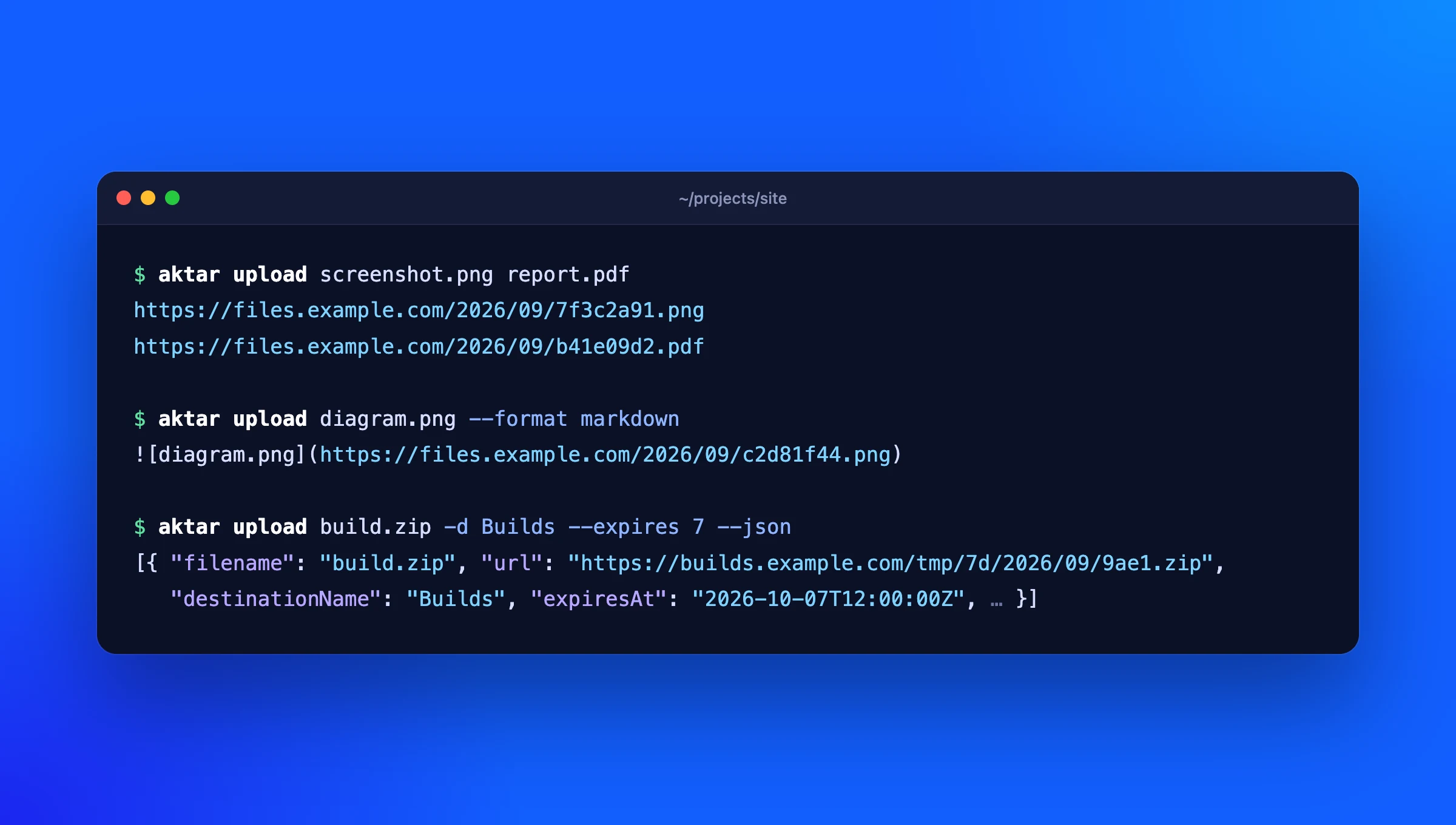
aktar upload <file>…Uploads one or more files and prints one link per file, as each finishes.
-
--format markdownPrints Markdown, HTML or your custom template from Aktar instead of the plain URL.
-
--jsonPrints everything as JSON: URL, every format, object key, size and when the file expires.
-
-d --folder --expiresPicks a destination by name, uploads into a folder, or lets the bucket delete the file after 1, 7, 14 or 30 days.
-
--clipboardUploads the file or image on the clipboard.
-
aktar loginSaves the token from Aktar's Settings, after checking it works.
-
status destinations historyShows the connection, your destinations, and a searchable upload history.
Set up in a minute
- In Aktar for Mac or Windows, open Settings > Integrations and turn on Allow local connections.
- Copy the token shown there.
- Run
aktar loginand paste it. That's it:aktar uploadnow uses the destination selected in Aktar.
Typora images, on your own bucket
Set aktar as Typora's custom image uploader and every image you paste into a document is uploaded to your bucket, with the link written into the Markdown.
Set up TyporaMade for scripts
Links go to standard output, one per line, and everything else to standard error, so URL=$(aktar upload build.zip) just works. --json gives you the full details, and the exit code tells you what happened. In CI, set AKTAR_TOKEN instead of logging in.
| Exit code | |
|---|---|
0 | Everything was uploaded |
1 | At least one upload failed; the others went through |
2 | Bad arguments or a missing file; nothing was uploaded |
3 | Aktar isn't reachable, or the token is wrong |
Your keys stay in Aktar
The CLI never sees your storage credentials. It sends files to the Aktar app on 127.0.0.1, which uploads them with the keys in your Keychain or Credential Manager.
Aktar's local API is off until you turn it on, never accepts connections from other computers, and every request needs your token. The CLI keeps it in a file only you can read.
Requirements
- Aktar for Mac 0.4.0 or later, or Aktar for Windows, with at least one destination
- Node.js 18 or later (Homebrew installs it for you)
- Open source (MIT) on GitHub
Questions
Does the CLI work without the Aktar app?
No. It's a remote control for the app: Aktar keeps the storage keys and does the uploading, so it has to be running with Allow local connections on. That's also why the CLI never needs your access keys.
Can I use it in CI or on a server?
Only where Aktar runs, since the CLI talks to it on the same machine. For a Mac or Windows build agent that works well; on a Linux server, use your provider's own CLI.
Which storage does it support?
Everything Aktar does: Amazon S3, Cloudflare R2, Backblaze B2, DigitalOcean Spaces, MinIO and any S3-compatible service. See the setup guides.
Where is the token stored?
In ~/.config/aktar/cli.json on a Mac (%APPDATA%\aktar\cli.json on Windows), readable only by your user. aktar logout removes it, and regenerating the token in Aktar disconnects every client.