Aktar for Raycast
release notes.

Every version of Aktar for Raycast, newest first, with what changed in it. Changes that are only in the other Aktar apps are left out.

  • In the Raycast Store

Raycast Store update

Latest

A security release for every Aktar

  • NewLocal API: GET /v1/hello lets the CLI and Raycast check they're talking to Aktar before sending the token.
  • ImprovedFiles sent from another app through the Services menu or the Share menu are only uploaded after you confirm. Aktar names the files and the destination. Uploads from Finder aren't asked about.
  • ImprovedImport from Another Device shows where the destination sends files, links, short links, webhooks and scripts before saving it. Webhooks and scripts come in off, and Use For rules and the output template are only kept if you choose to.
  • ImprovedUpdating an existing destination from an import keeps its own webhooks, scripts and Use For rules unless you keep the imported ones.
  • ImprovedConnect Raycast only hands over the local API token to Raycast itself. Otherwise nothing is shared and Aktar says why.
  • ImprovedThe local API refuses uploads larger than the free disk space (keeping 2 GB free) and more than 32 connections at once.
  • ImprovedWatched folders only upload, move to Trash or move to Uploaded a file that's still the one Aktar checked. An Uploaded folder that's a link to another folder is never used.
  • ImprovedFiles from a Shortcuts action always stay in Aktar's temporary folder, whatever their name.
  • ImprovedXSLT stylesheets, .shtml pages and web archives (.mht, .mhtml) download when their link is opened, like HTML, instead of running on your bucket's domain.
  • ImprovedThumbnails of bucket files are made from a download under a safe file name, whatever the file's key.

Raycast Store update

Clean URLs and short links

  • New{short} in a path template: a random 7-character code for links like files.example.com/A7kdP2x.png, never written over an existing file. New destinations use {year}/{month}/{short}.{ext}.
  • NewPresets next to a destination's path: Clean URL (Recommended), Short with Date and Original File Name. A destination on your own domain suggests a clean URL.
  • NewShort Links on each destination: Shlink, YOURLS, Kutt, Dub, Short.io or a custom HTTP request, with Test, a minimum length and temporary links. The short link is copied, used in every format and shown in the QR code.
  • NewImport ShareX Configuration (.sxcu)… turns a ShareX custom URL shortener into a custom request, after showing where your token will be sent.
  • NewHistory shows short links with their clicks and last click, with Copy Short Link, Copy Original Link, Create Short Link and Delete Short Link.
  • NewLocal API: shortUrl on uploads, short=1 or short=0 for one upload, and GET and POST /v1/uploads/{id}/short-link. Webhooks and scripts get upload.shortUrl.
  • ImprovedDeleting, renaming, moving and replacing a file keep its short link in step, and an expiring upload's short link expires with it.
  • ImprovedSet Up Cloudflare R2… saves {short}.{ext} as the path when links use your own domain.
  • ImprovedShare to Another Device carries a destination's short link settings and token.

Raycast Store update

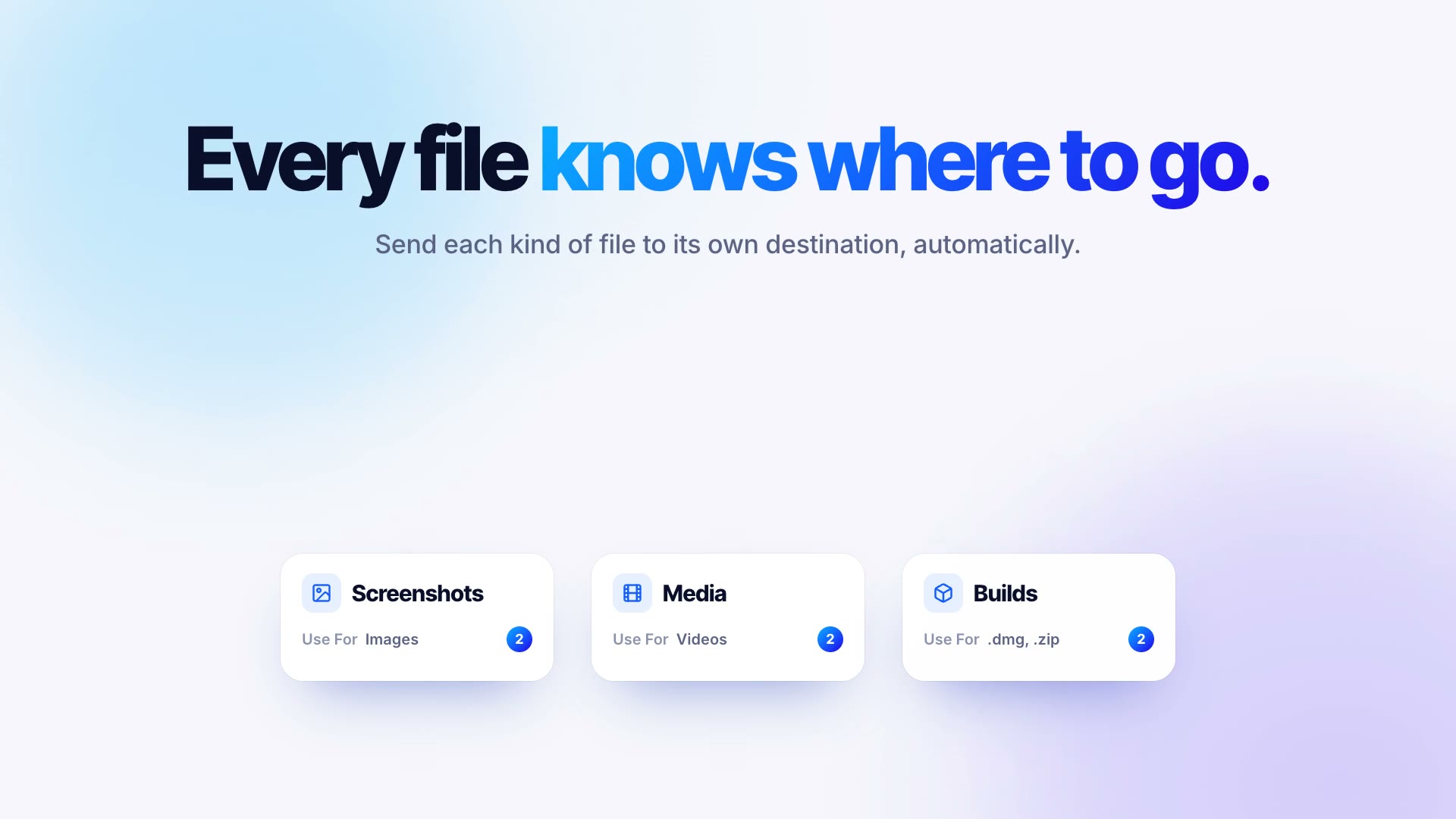
Files that find their own destination

  • NewUse For on each destination: file types and extensions that go there when an upload doesn't name a destination. The drop area lists where files go.
  • NewA Keyboard Shortcut for each destination that uploads the clipboard there.
  • NewReplace File… in History and the bucket view: a new file at the same key, so its link keeps working, with a Replaced date and a new thumbnail.
  • NewShort cache time and an optional Cloudflare cache purge for replaced files, also when a watched folder writes over its upload.
  • NewAfter Upload on each destination: webhooks and scripts after each upload and replace.
  • NewShortcuts actions: Upload File, Upload Clipboard, Replace File and Get Recent Uploads.
  • NewLocal API: replace endpoints, and uploads without a destination follow Use For. aktar replace in the CLI uses them.
  • ImprovedShare to Another Device carries Use For, the cache settings, the Cloudflare token and the hooks.

Raycast Store update

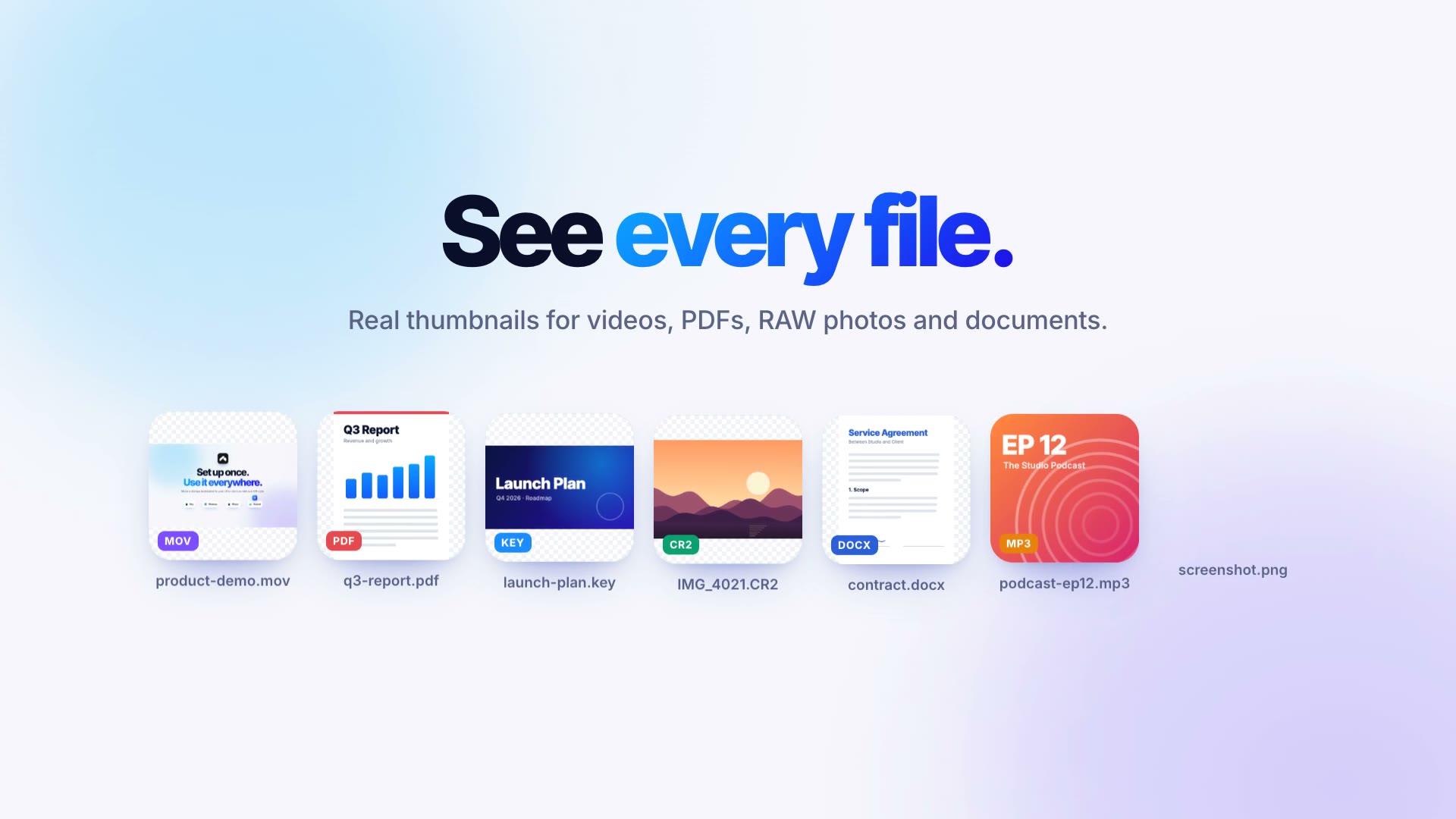
Thumbnails for every file, and videos that play

  • NewThumbnails for videos, PDFs, RAW and HEIC photos, Office and iWork documents, fonts and more in History, the menu bar and the bucket view.
  • NewA Thumbnails setting for each destination: Off, On This Mac or In the Bucket, with a folder of your choice.
  • NewThumbnails in the bucket are deleted, renamed, moved and expire together with their files, and their folder is hidden in the bucket view and the local API. Leaving that mode asks whether to delete the ones already there.
  • NewVideos and audio files play in a file's details, streamed from the bucket, private buckets too.
  • NewSettings › General shows how much space thumbnails take on this Mac, with Clear… to remove them.
  • NewThe local API serves thumbnails, so the Raycast extension can show them too.
  • ImprovedThumbnails are sharper (512 pixels instead of 320) and take about a tenth of the space.
  • ImprovedThumbnails are kept next to your history, so macOS or a cleaner app emptying caches no longer leaves rows with only an icon.
  • ImprovedThe Thumbnails setting travels with Share to Another Device.
  • FixedScreenshots pasted from the clipboard get a thumbnail in History again.

Raycast Store update

Folders that upload themselves

  • NewWatched Folders in Settings: files that land in a folder you pick are uploaded on their own once they're completely written, about 1.5 to 2 seconds after they arrive.
  • NewPer folder: destination, Object Path, link and Delete after; which files count (all, images, videos, screenshots only, or your own patterns, with sizes and subfolders); what happens when a file changes (ignore it, upload it again, or replace the upload so the link stays); and what happens to the original (keep it, move it to the Trash or an Uploaded subfolder, or tag it Aktar in Finder).
  • NewPartial downloads, temporary and hidden files are never uploaded, a renamed file isn't uploaded twice, and files that arrived while Aktar wasn't running are picked up when it starts.
  • NewDelete it from the bucket too (off by default) removes an upload when its file is deleted from the folder. Ask before deleting (on by default) asks first every time; with it off, Aktar still asks when many files disappear at once.
  • NewMore than 50 new files at once wait for Upload or Skip, in the menu bar and in Settings.
  • NewPause watching for an hour, until tomorrow or until you resume it, from the menu bar or Settings, and on battery power or Low Data Mode and metered networks if you like. Files that arrive meanwhile wait in their folder.
  • NewA webhook or a script from Aktar's scripts folder for each watched folder, run after every upload with the link, the key and the file.
  • New{folder} and {subpath} in the Object Path: the watched folder's name and the subfolders a file is in.
  • NewUploads from watched folders say where they came from in the menu bar and the Library, which can show only those.
  • NewThe local API lists, pauses and resumes watched folders (/v1/watched-folders), and aktar://watch, aktar://watch/pause and aktar://watch/resume do the same from a link.
  • FixedShow notification after upload in Settings › General is respected.

Raycast Store update

QR codes, smarter uploads, no size limit

  • NewShow QR Code for an upload, with Copy Image and Save Image.
  • NewReuse links for duplicate files (on by default): the same contents in the same destination copy the existing link instead of uploading again.
  • New{md5} and {sha256} in a destination's Object Path, for names that follow the file's contents.
  • NewRename before upload: hold ⌥ while dropping or choosing files in the menu bar, or give Rename and upload clipboard its own shortcut. On Windows, hold Alt.
  • NewImage Processing per destination: WebP or AVIF, Light, Medium or Strong compression, and resizing by the longest side.
  • ImprovedFiles over 64 MB upload in parts, with no 5 GB limit, real progress, automatic retries and resuming after a failure or a restart.
  • ImprovedUploads in progress can be cancelled, which also frees what was already sent to the bucket.

Raycast Store update

Uploads that delete themselves

  • NewDelete after next to the destination picker in the menu bar: 1, 7, 14 or 30 days. Expiring files go under tmp/{N}d/ and the bucket deletes them itself, even when Aktar isn't running.
  • NewOne-click setup of the bucket's lifecycle rules from the menu bar or Settings → Destinations, leaving the bucket's other rules untouched. If the key can't change lifecycle rules, Aktar shows which ones to add in your provider's dashboard.
  • NewAuto-delete can be turned off per destination, keeping or removing the bucket's rules.
  • NewHistory, the Library and upload notifications show when an expiring file will be deleted.
  • NewThe local API takes expires= (in days) on uploads and returns expiresAt.

Raycast Store update

Browse your buckets

  • NewBucket browser in the Library: every folder and file in each destination's bucket, including files not uploaded with Aktar.
  • NewSearch the whole bucket, or just the open folder and everything below it.
  • NewTemporary links valid for 1 hour, 1 day or 7 days, which also work for private buckets.
  • NewUpload into any folder, create folders, rename, move and delete files from the Library.
  • NewOpt-in local API for the Aktar Raycast extension (Settings → Integrations), limited to 127.0.0.1 and protected by a token kept in the Keychain.
  • Newaktar://library, aktar://settings and aktar://upload-clipboard links. Uploading the clipboard only works while Aktar is already running.
  • FixedRetrying a failed upload, or uploads queued for different destinations at once, go to the destination they were started for.
  • FixedA new upload's row in the Library no longer shows up clipped to half its height.
  • FixedThumbnails keep the image's shape and orientation instead of being squashed into a square, and are sharper on Retina displays.